Choosing a Web Design Company for Small Business
You’ve decided your current website is holding the business back. It’s dated on mobile, difficult to update, unclear about what you offer, or failing to turn visits into calls and enquiries. Now you’re comparing proposals from several companies, and they all appear to promise the same thing: a modern design, responsive development, SEO, and a smooth launch.
That’s where many owners make the wrong decision. They choose the cheapest quote, the prettiest portfolio, or the person who replies fastest. Those factors matter, but they don’t answer the questions that create the most expensive problems later: What exactly is included? Who owns the site? What happens after launch? Will the website be accessible, fast, maintainable, and built around measurable business goals?
A website is a long-running business cost, not a one-time purchase. The right web design company for small business should give you a clear scope, honest pricing, a sensible platform recommendation, and a working relationship that continues after launch. The sections below will help you judge those details before you sign.
Table of Contents
- The Moment Every Small Business Owner Reaches
- What a Modern Small Business Website Actually Has to Do
- How a Web Design Project Actually Works From Start to Launch
- Boutique Studio, Freelancer, or Large Agency
- How Web Design Pricing Really Breaks Down
- What to Look for in a Web Design Company Before You Sign
- How to Decide If You Need a Redesign, a Refresh, or Something Smaller
- Questions Small Business Owners Ask Before Hiring a Web Design Company
The Moment Every Small Business Owner Reaches
The decision usually starts with frustration. Your phone shows a cramped version of the homepage, a service page has outdated information, or a prospective customer asks a question the website should have answered immediately. You finally accept that the site isn’t just unattractive. It’s creating friction.
Then the proposals arrive. One is noticeably cheaper. Another comes from a studio with a beautiful portfolio. A third comes from someone who responded within minutes and sounds eager to start. The three temptations are obvious:
Choose the cheapest quote and protect cash flow.
Choose the prettiest portfolio and assume visual quality equals business quality.
Choose the fastest responder and treat responsiveness as proof of reliability.
None of those is a sufficient evaluation method. A low quote may exclude copywriting, accessibility work, content migration, analytics, training, or maintenance. A polished portfolio may show attractive pages without explaining how the projects were scoped, tested, or measured. Fast communication before a contract doesn’t guarantee dependable communication when approvals, revisions, and technical issues begin.
Start with scope, not style
Your first task is to identify the website’s job. Does it need to generate quote requests, support local search, explain complex services, take bookings, sell products, recruit staff, or give existing customers self-service information? A design partner should ask those questions before presenting layouts.
The proposal should then translate those goals into specific deliverables. It should identify the page types, content responsibilities, integrations, revision process, platform, launch requirements, and post-launch support. Exclusions matter just as much as inclusions.
Practical rule: If you can’t tell what happens when the project changes, the proposal isn’t detailed enough to sign.
Treat the relationship as part of the product
Small businesses rarely need a website that looks finished on launch day and becomes difficult to manage afterward. They need a partner who can explain decisions, respond when something breaks, and help the site evolve as services, campaigns, and customer expectations change.
That’s why the right choice is a scoping, pricing, and support decision first, then a portfolio decision. Review the work, but judge the process that produced it. A company that communicates clearly before the project starts is more likely to create a project you can manage confidently.
What a Modern Small Business Website Actually Has to Do
A modern small-business website has four essential jobs: work well on mobile devices, be easy to use, help customers find the business online, and turn visitors into customers.
A website should load quickly, provide clear information, and make it simple for visitors to take the next step—whether that means calling, requesting information, scheduling an appointment, making a purchase, or visiting the business.
Strong website design supports these goals, but appearance alone is not enough. A beautiful website that is slow, difficult to navigate, outdated, or unclear about what visitors should do next isn’t working effectively for the business.
The best small-business websites combine good design, useful content, search visibility, mobile performance, and clear calls to action. Every page should ultimately help the visitor understand the business, build trust, and know exactly what to do next.
The 2026 small-business website analysis makes the point clearly: getting online is not the same as building a reliable digital asset.

Performance is a baseline
A business website should be fast, responsive, and reliable on real devices—not just look good on a designer’s desktop. Pages should load quickly, images should be optimized, layouts should work across screen sizes, and forms and buttons should function properly on mobile.
Google’s Core Web Vitals provide measurable standards for website performance, including loading speed, responsiveness, and visual stability. Rather than accepting that a website is simply “fast,” business owners should ask how performance will be tested before and after launch.
That keeps the important point: performance should be measured, not claimed.
I’d also remove the WordPress Performance Tester link from the body entirely. For the kind of business article we’re creating, it interrupts the flow and sends the reader down a technical rabbit hole they don’t need.
Accessibility belongs in the build
Accessibility should be considered from the beginning of a website project, not added as an afterthought. Following WCAG 2.2 accessibility standards helps make websites easier to use for people with different abilities and often improves the experience for everyone.
Simple practices—readable text, sufficient contrast, descriptive image text, clearly labeled forms, keyboard-friendly navigation, and buttons that are easy to use on mobile—can make a significant difference.
Accessibility should also be reviewed as the website changes. New pages, forms, images, and features can introduce problems, so accessibility is part of maintaining a healthy website—not simply something checked at launch.
I think that fits the magazine much better. Educate the business owner enough to know what they should expect from whoever builds their website, without trying to turn them into a web developer. That’s really the sweet spot for this article.
Conversion and search need structure
Every important page should answer four questions quickly:
What do you provide? State the service in plain language.
Why trust you? Add proof such as relevant experience, reviews, credentials, process details, or useful examples.
Where and how can customers reach you? Make location, phone, email, hours, and service area easy to find.
What should the visitor do next? Use one clear action, such as requesting a quote, booking a consultation, calling, or purchasing.
SEO should be part of the architecture, not a late add-on. Your partner should plan headings, internal links, page titles, service and location structures, local signals, and relevant schema during the build. For practical guidance on placing terms naturally within pages, this resource on keyword placement is useful, but no keyword strategy can rescue a confusing site.
Judge a proposal by asking whether the site will perform, include, convert, and be found. If it only promises to look modern, you’re buying decoration.
How a Web Design Project Actually Works From Start to Launch
A professional website project should feel structured without becoming mysterious. You should know what happens next, what the agency needs from you, and what a completed stage looks like.

Discovery and scoping
Discovery should cover business goals, audiences, current-site problems, competitors, content, brand assets, technical constraints, and the systems the new website must connect to. The agency should audit the existing site and create a content inventory so no one discovers essential pages or files halfway through production.
Scoping turns those findings into a written agreement. It should list page templates, functionality, platform, content responsibilities, review rounds, timeline assumptions, accessibility checks, performance work, launch tasks, and exclusions. You’re responsible for providing accurate business information, supplying assets, making decisions, and giving feedback on time.
Information architecture and content
Before visual design, the team should define the navigation, page hierarchy, calls to action, and key messages. A service business might need separate pages for core services, industries, locations, FAQs, proof, and contact. A nonprofit may need a different structure focused on programs, impact, donations, and volunteers.
Content isn’t filler that gets poured into finished boxes. It determines whether the page answers customer questions and supports search intent. If the agency writes copy, confirm who handles interviews, approvals, revisions, and factual verification. If you provide it, ask for a content template and deadlines.
Design, development, and feedback
The design stage commonly includes wireframes, visual direction, and page mockups. One or two focused feedback rounds are reasonable. Endless revisions aren’t free, and unclear decision-making can stall the project. Choose one internal approver whenever possible.
Development then turns approved designs into responsive templates on WordPress or another appropriate CMS. The build should include accessible interactions, mobile behavior, basic on-page SEO, form testing, image handling, security considerations, and integrations defined in the scope.
Testing and launch
Testing should cover browsers, screen sizes, navigation, forms, links, redirects, content, analytics, performance, and accessibility issues. The agency should show you what was tested and identify anything that remains for later remediation.
The launch includes deployment, final configuration, backups, and training. Expect a short stabilization period for bugs and small fixes. It shouldn’t become an unlimited warranty for new features or an unplanned rewrite.
For a plain-English overview of client responsibilities, approvals, ownership, and agency communication, see this guide to working with a web design agency. The best projects are partnerships. The agency owns its professional work, and you own timely decisions and accurate business input.
Boutique Studio, Freelancer, or Large Agency
There isn’t one correct engagement model. The right choice depends on the complexity of the website, how much guidance you need, and how much operational risk you can carry.
| Model | Typical Cost Range | Access to Senior Talent | Process Maturity | Considerations for Small Business |
|---|---|---|---|---|
| Boutique studio | Varies by scope | Usually direct access to a named lead and specialist team | Structured, collaborative process | Direct collaboration and specialist access, with less capacity than a large agency |
| Independent freelancer | Varies by scope | Direct access to the person doing the work | Depends heavily on the individual | Higher dependency on one person’s availability and skill range |
| Large agency | Varies by scope | Often filtered through account management | Typically formal and documented | Higher overhead and more handoffs |
| DIY builder | Subscription and internal time | No senior partner unless separately hired | Self-managed | Business owner carries implementation and maintenance risk |
Boutique studios
A boutique studio can offer a useful middle ground. Blu Dragonfly operates under this collaborative boutique model. Clients work directly with the people responsible for their project rather than having communication filtered through multiple layers of account management. Our team brings together web design and development, marketing strategy, media, and social media expertise, allowing those disciplines to work together when a project requires them.You may work directly with a project lead while still having access to people handling branding, copy, development, media, social content, or accessibility. That matters when the site needs more than page assembly.
The trade-off is capacity. A small team may have fewer simultaneous production slots, so ask who will cover the work if a specialist is unavailable. You should also confirm whether the team is collaborative or whether the “studio” label still means one person doing everything.
Freelancers
A freelancer can be efficient for a focused project, especially when the requirements are straightforward and you already have content, branding, and a clear decision-maker. Direct communication can reduce handoffs.
The risk is concentration. One person may be excellent at visual design but less experienced with performance, accessibility, SEO structure, content strategy, or integrations. If they become unavailable, the project can pause. Ask how backups, documentation, hosting access, and post-launch support work.
Large agencies and DIY
A large agency brings capacity, formal systems, and broader resources. Those advantages can make sense for complex organizations, multi-location businesses, or projects requiring substantial integration. For a smaller site, layers of account management and overhead may not improve the outcome.
DIY builders offer control and low commitment. They’re reasonable for a temporary or very simple presence, but the owner remains responsible for structure, accessibility, performance, content, and maintenance. Choose based on the risk you’re willing to manage, not the label attached to the provider.
How Web Design Pricing Really Breaks Down
A website quote is a bundle of different kinds of work. Discovery reduces uncertainty. Design turns strategy into a visual system. Development makes that system function. Content gives the pages something useful to say. Support keeps the asset working after launch.
That’s why two website proposals with dramatically different prices may represent fundamentally different products—not the same website with different profit margins., not the same site with different profit margins. One may use an existing template, client-supplied copy, limited revisions, and minimal testing. The other may include research, custom layouts, content development, integrations, accessibility remediation, performance work, photography, and structured support. The graphic below is an example of how pricing can potentially break down for a website.

The work behind the number
A professional website quote typically reflects several categories of work: discovery and strategy, design, development, content and media, testing, launch, and post-launch support. The amount of work required in each area varies considerably depending on the size, complexity, and goals of the project.
Discovery and strategy can include auditing, goal-setting, competitor research, and content planning.
Design can include wireframes, mockups, responsive states, design systems, and revisions.
Development can include CMS setup, custom templates, forms, integrations, redirects, and quality assurance.
Content and photography can include copywriting, editing, image selection, photography, video, and migration.
Post-launch support can include maintenance, updates, training, monitoring, and helpdesk access.
Choose the pricing structure deliberately
A fixed project fee works when the scope is defined and the deliverables are stable. It protects your budget, but changes need a clear process.
Hourly billing makes sense for discovery, troubleshooting, or evolving work where the final requirement isn’t known. Ask for an estimate and approval threshold so the work doesn’t drift unnoticed.
A retainer suits ongoing marketing, maintenance, content, SEO, social media, or design support. Confirm what hours or deliverables are included, whether unused time carries forward, and what counts as a new project.
Make proposals comparable
Ask each provider:
How many page templates and unique pages are included?
How many design and revision rounds are allowed?
Who writes, edits, approves, and uploads content?
Is accessibility testing and remediation included?
What performance metrics will be measured?
Who provides hosting, updates, backups, and security monitoring?
Who owns the domain, website account, design files, content, and licenses?
What happens when you request a new feature after approval?
What support is included after launch, and for how long?
A detailed quote protects both sides. If a provider avoids specifics, the low price may only reflect missing work.
What to Look for in a Web Design Company Before You Sign
The proposal itself is an audition. If it’s vague, difficult to read, or full of broad promises, expect the project to feel the same way.

Evaluate the work behind the screenshots
A relevant portfolio is more useful than a gallery of attractive homepages. Ask to see examples from businesses with comparable audiences, sales cycles, service complexity, or local-search needs. Then ask what the provider handled. A beautiful page may have been supplied by another designer, built from a template, or completed without responsibility for content and performance.
References should be real and specific. Contact them yourself and ask whether the agency met commitments, handled disagreement, explained trade-offs, stayed within scope, and supported the site afterward. “They were nice” is not enough. You need to learn how the relationship worked under pressure.
For a useful example of the kind of work a studio may present, review the Blu Dragonfly web design portfolio, then ask any prospective provider the same questions about goals, process, and ownership.
Demand a documented process
Good process includes discovery, information architecture, content planning, design approval, development, testing, training, launch, and support. A red flag sounds like, “We’ll figure that out once we see the design.”
Your proposal should distinguish between client responsibilities and agency responsibilities. It should name who supplies copy, photos, credentials, legal language, testimonials, pricing, and technical access. It should also define what happens if approvals are late.
Inspect accessibility and performance commitments
Ask what accessibility actually means within the scope of the project. A thoughtful answer should go beyond saying a website will be “ADA-friendly.” It should explain how accessibility is considered during design, development, content creation, and testing—including keyboard navigation, visible focus states, heading structure, color contrast, form labels and instructions, appropriately sized interactive elements, alternative text, and clear error messages. These are all areas addressed by WCAG 2.2.
Accessibility also shouldn’t be treated as a one-time automated scan at the end of a project. Automated tools are useful for identifying certain problems, but they cannot determine whether a website fully conforms to WCAG. Testing should combine automated checks with human review of important pages, forms, navigation, and interactive elements.
The scale of the problem is significant. The 2026 WebAIM Million study found detectable WCAG failures on 95.9% of the one million home pages analyzed. Because automated testing can identify only some accessibility barriers, WebAIM notes that the actual rate of full WCAG conformance is likely even lower.
The same principle applies to performance. Ask what pages, devices, and metrics will be tested before launch and how performance will be monitored afterward. A strong web design partner should be able to explain both its accessibility and performance process—not simply promise that the finished website will be “accessible” and “fast.” The small-business accessibility study supports a direct recommendation: ask for remediation priorities and ongoing review, not a one-time checkbox.
Define support and ownership
Get post-launch response expectations in writing. Ask who handles updates, plugin conflicts, broken forms, backups, security incidents, content edits, and new features. Confirm whether support is included, billed hourly, or covered by a maintenance plan.
The cheapest quote is rarely the fairest comparison point. Compare scope, accountability, risk, and future control.
How to Decide If You Need a Redesign, a Refresh, or Something Smaller
Don’t treat the decision as “new website or no new website.” Start with triage.
A full redesign makes sense when the current site fails across several areas at once: mobile performance, accessibility, lead conversion, brand credibility, and content structure. Replacing the colors while keeping confusing navigation and weak service pages won’t solve the underlying problem.
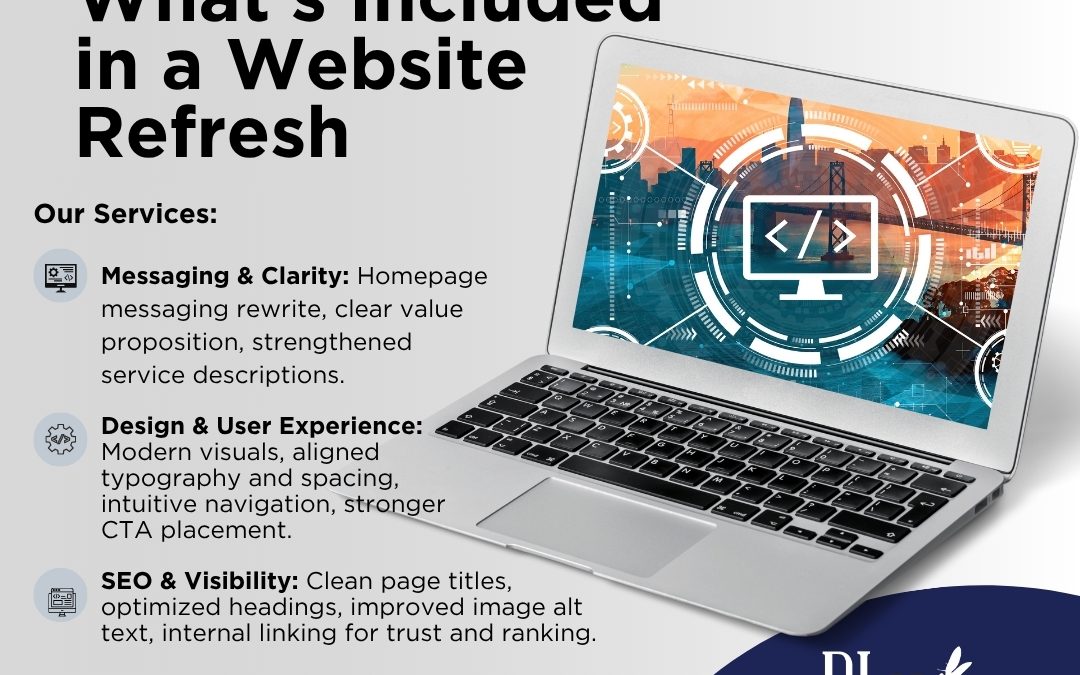
A refresh or targeted rebuild is often smarter when the CMS, URL structure, content organization, and SEO foundation are sound. You may only need a new visual system, improved copy, stronger calls to action, updated imagery, or redesigned templates for underperforming pages.
Use evidence before choosing scope
Review Core Web Vitals, mobile usability reports, form completions, calls or bookings attributed to key pages, and the age of your most important content. You can also inspect the site manually on a phone. Try to complete the action you want customers to take. If it feels difficult, your customers face the same friction.
Redesign: Choose this when the platform, structure, content, and experience all need coordinated work.
Refresh: Choose this when the foundation works but the presentation and messaging have fallen behind.
Targeted fix: Choose this for isolated problems such as a broken form, weak service page, unclear CTA, or accessibility barrier.
Use these signs it’s time to redesign your website as a diagnostic prompt, not an automatic instruction to rebuild. A disciplined agency should recommend the smallest scope that solves the problem.
Questions Small Business Owners Ask Before Hiring a Web Design Company
How long does a small-business website take?
A realistic small-business project often takes six to twelve weeks, depending on content readiness, approvals, integrations, and revision requirements. Anyone promising an exact launch date before reviewing the scope is guessing.
Who owns the website after launch?
You should own the domain, website account, content, and agreed design assets. Ask whether the agency will provide administrator access, documentation, licenses, and exportable files. Never let ownership remain unclear because transferring a site later can be disruptive.
What does accessibility cost?
Accessibility isn’t a decorative add-on. The cost depends on the existing site, the number and type of templates, content quality, forms, third-party tools, and the amount of testing and remediation required. Ask for an accessibility plan that identifies priorities and explains how new content will be reviewed.
What happens to our existing brand and content?
The agency should inventory what is usable, what needs rewriting, and what should be retired. Strong projects preserve valuable brand recognition while correcting inconsistent typography, messaging, imagery, navigation, and page structure.
Who handles hosting and support?
Hosting and post-launch support should be discussed before the website is built, not after something goes wrong. Ask whether your web design company can provide hosting directly or whether you’ll be responsible for managing a separate hosting provider. Also clarify who handles backups, WordPress and plugin updates, security, SSL certificates, technical issues, content changes, and ongoing website maintenance.
Blu Dragonfly can provide both website development and hosting, allowing clients to keep more of their website services with one team. Through Blu Dragonfly Hosting, clients can access WordPress and web hosting, domain services, SSL and website security, backups, and other hosting-related services.
That doesn’t mean every business needs the same hosting or support arrangement. What matters is knowing who is responsible for what after launch. Before signing a web design agreement, understand what is included, what requires an ongoing maintenance or hosting plan, what is billed separately, and who you contact when you need help. A website should remain a business asset you can maintain and grow—not something you’re left trying to manage alone after launch.
How will the site generate measurable results?
Ask which actions will be tracked, such as form submissions, calls, bookings, purchases, or downloads, and how those actions will be connected to landing pages and campaigns. A modern appearance is useful, but the key test is whether the website helps the business attract, reassure, and convert the right customers.
Blu Dragonfly LLC provides custom WordPress web design and development, branding, marketing strategy, social media, media production, graphic design, and website accessibility support through a collaborative boutique team. If you’re comparing proposals in Dallas/ Fort Worth, elsewhere in Texas, or beyond, visit Blu Dragonfly LLC to discuss a clearly scoped website built around performance, accessibility, brand consistency, and business goals.
Planning a new website or a redesign? Blu Dragonfly designs and builds custom WordPress websites for small businesses — see our web design services in Dallas or book a free consultation.